
Current project - Task planning
The redesign focused on guiding users through critical staffing decisions in a highly complex system.
Instead of adding new functionality, the solution surfaces existing but overlooked features and structures workflows around urgency, prioritization, and real operational behavior.
UX Redesign
WCAG
Context
The staffing module is used by large organizations to manage vacancies, schedules, and absences across multiple teams and departments.
While the system already contained extensive functionality, users struggled to identify what required immediate attention and where to act within the workflow.
The problem
Users lacked clear guidance in prioritizing staffing issues and often relied on manual workarounds despite existing support in the system.
Critical vacancies, absences, and staffing conflicts were difficult to identify, creating cognitive overload and inefficient workflows.
My role
UX designer
Collaboration with Business analyst and stakeholders.
Process
Research
I conducted field research with two organizations, interviewing 12 users and collecting ~30 pages of data.
User testing
Defined key flows and validated them through task-based usability testing.
Key insights
• Usage was inconsistent across users
• Users created their own workflows
• Existing features were hidden
• Lack of onboarding increased complexity
Problem framing
• Usage was inconsistent across users
• Users created their own workflows
• Existing features were hidden
• Lack of onboarding increased complexity
Solution
The redesign introduced a guided staffing workflow focused on surfacing critical actions and improving situational awareness.
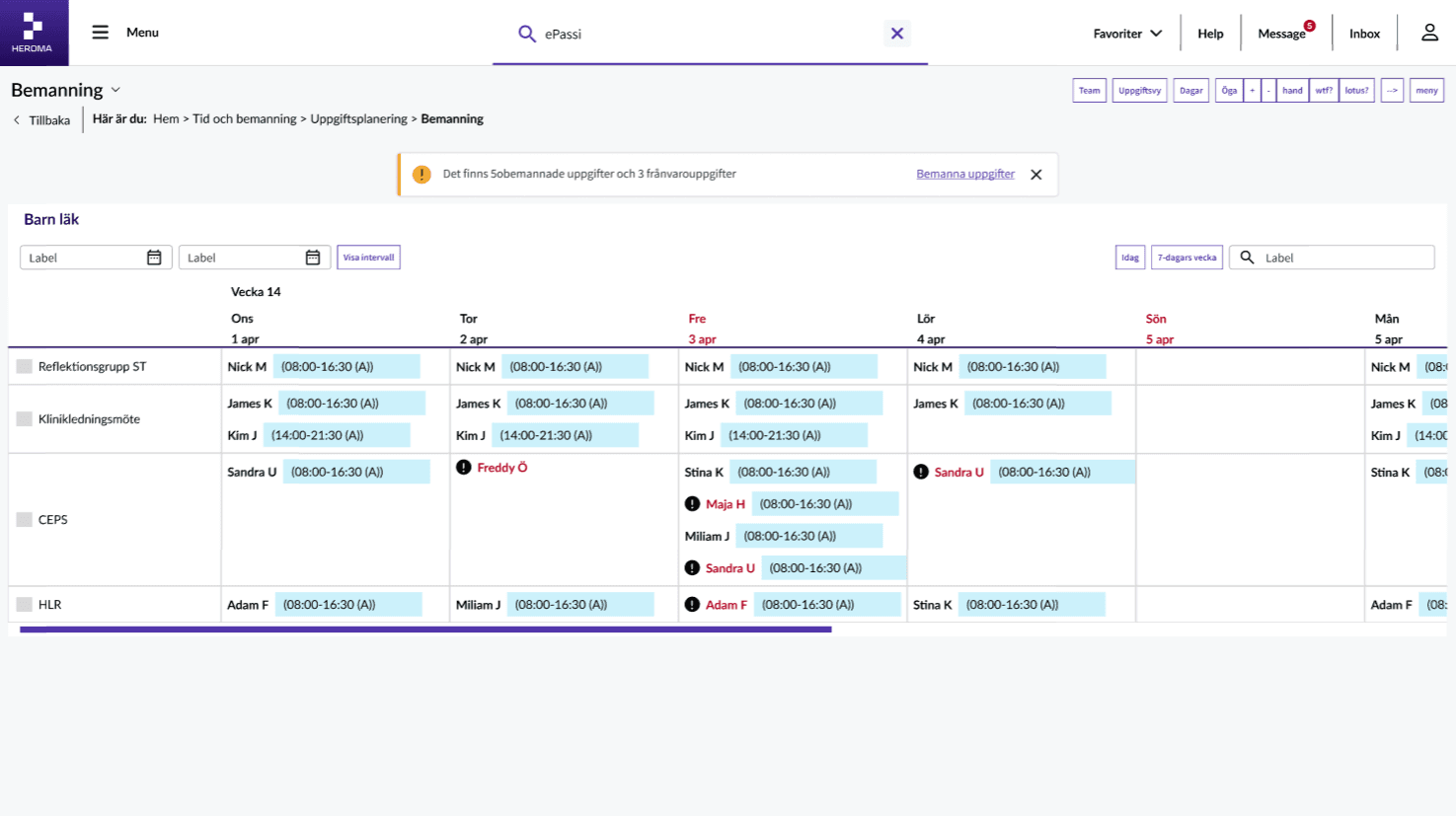
Users are first presented with the most urgent vacancies within a one-week timeframe, helping staffing coordinators focus on what requires immediate action.
Existing functionality was reorganized and surfaced through contextual guidance rather than adding new features.
Proposed solution
Prioritized staffing overview
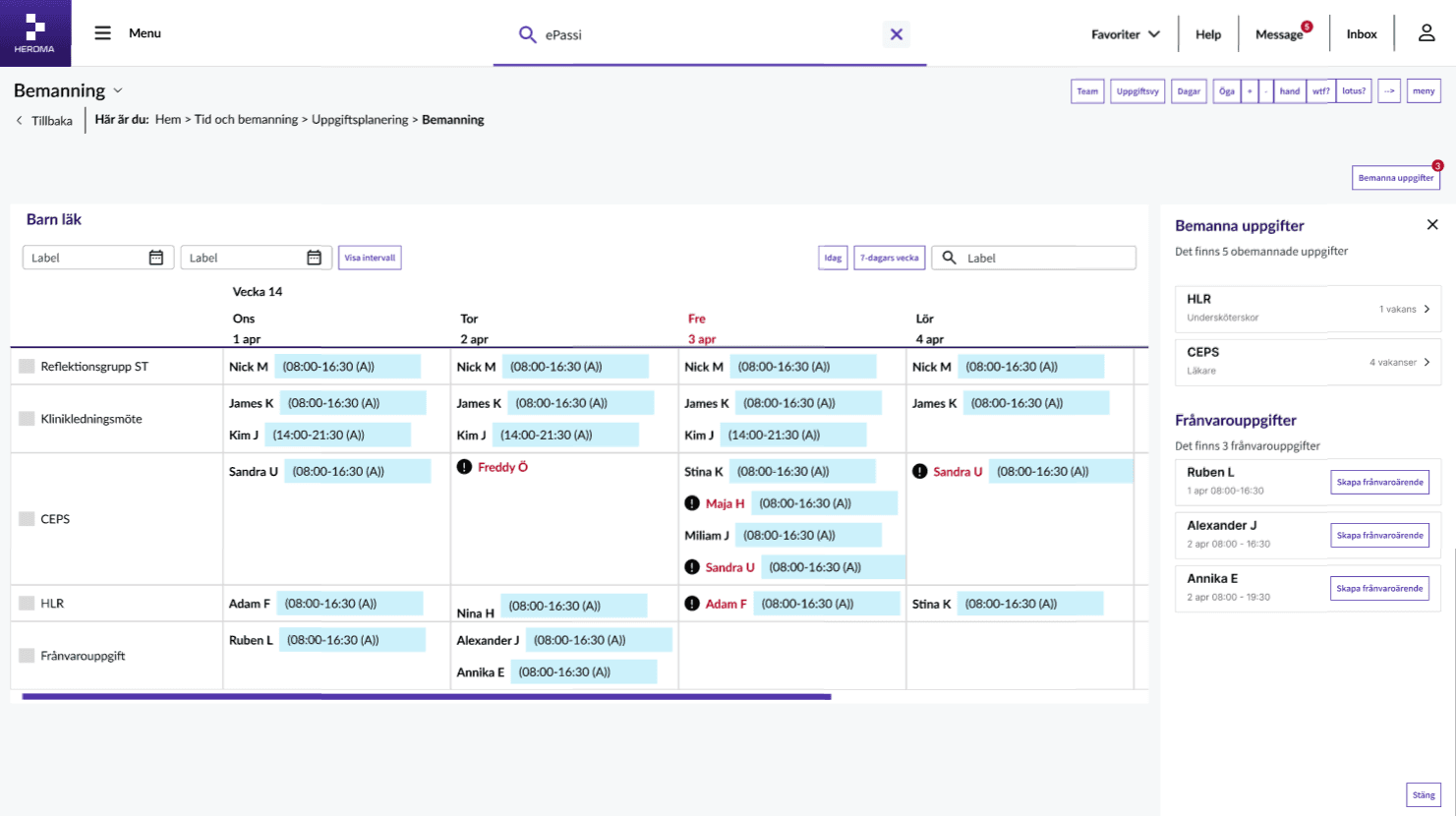
Critical vacancies and absence-related tasks are surfaced through a contextual banner that transitions into a persistent action entry point.
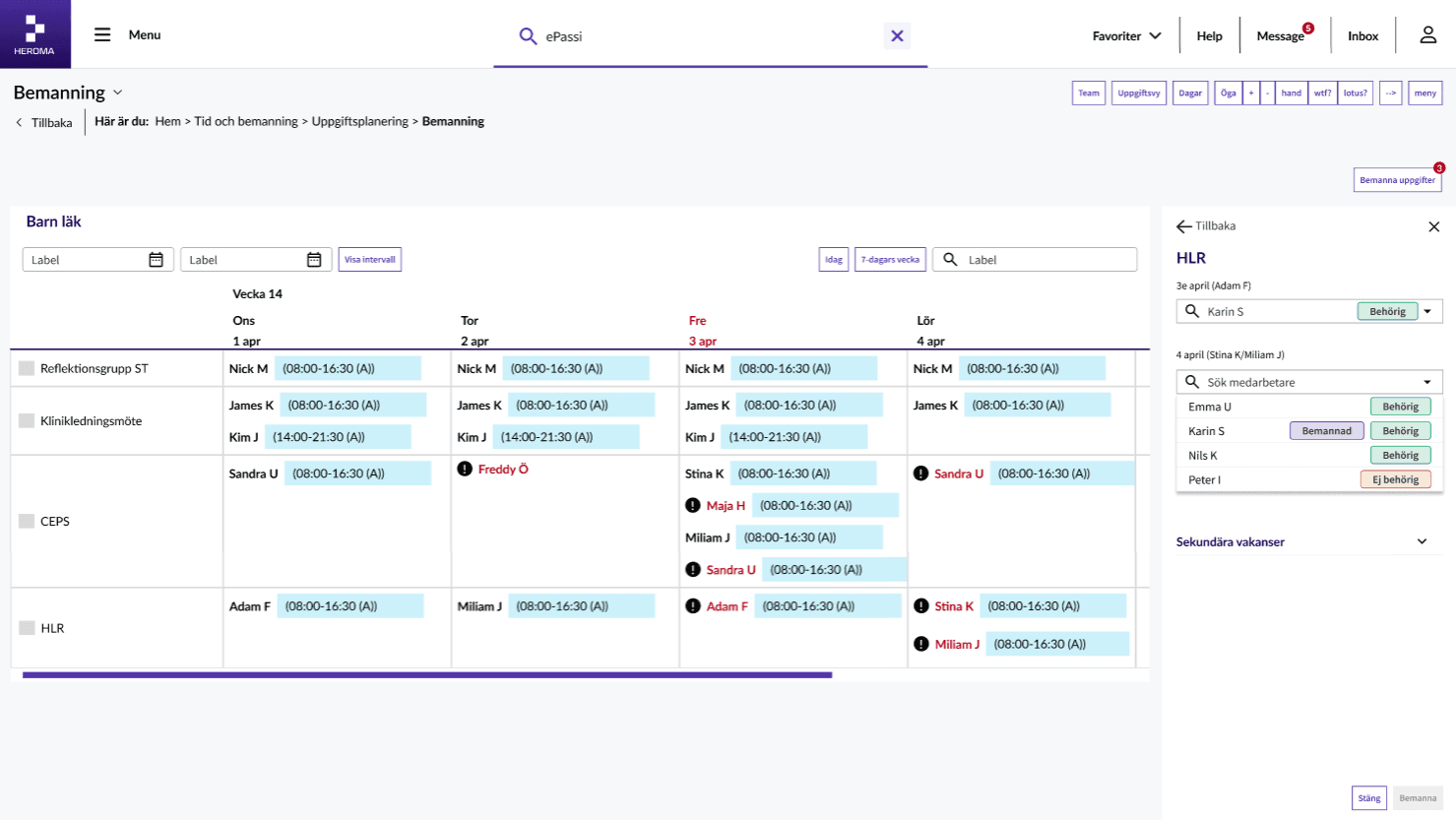
Guided replacement suggestion
When assigning replacements, users receive contextual suggestions based on suitability while still retaining flexibility to override recommendations when operational realities require it.
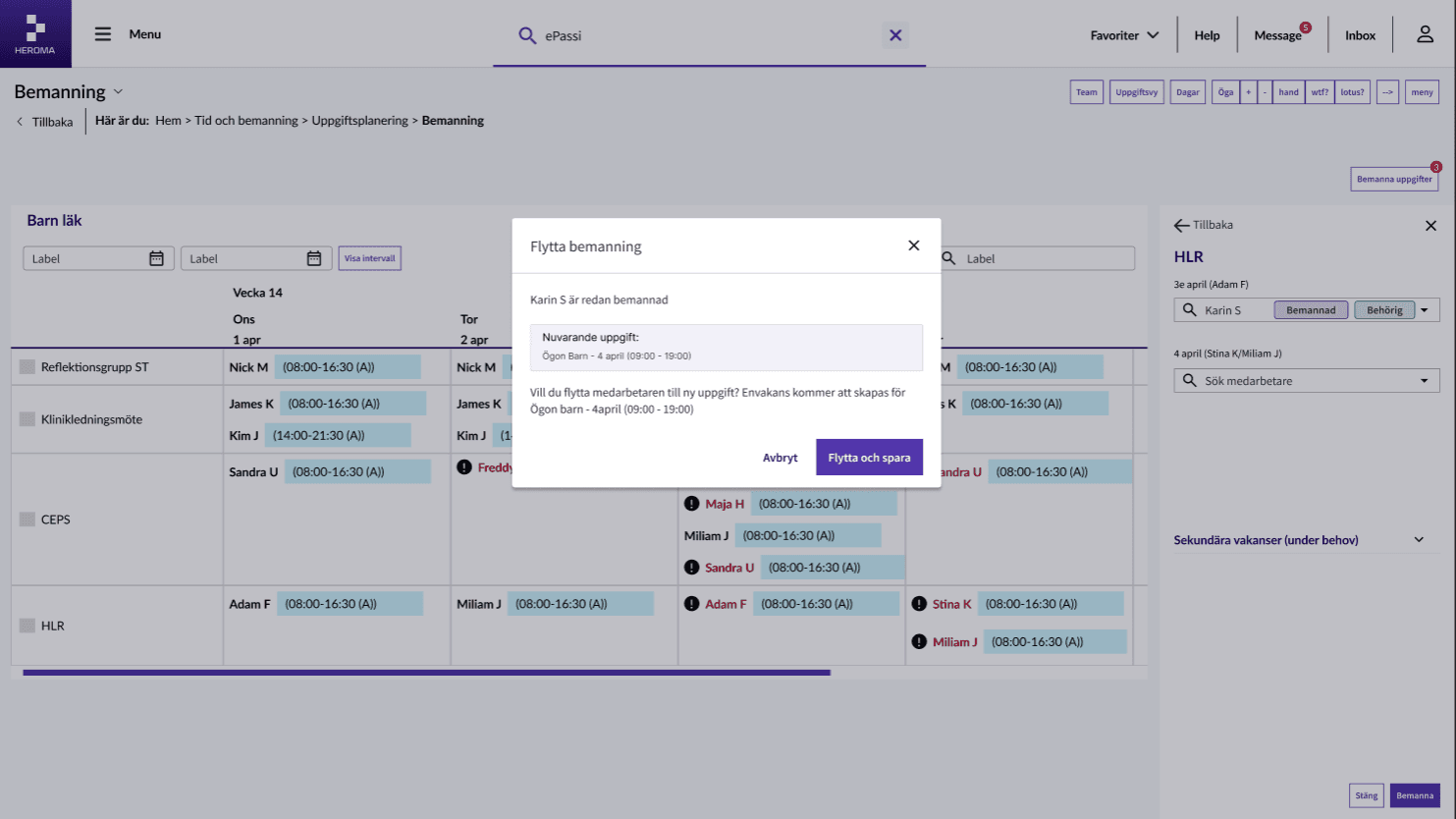
Conflict handling
If a user selects an already assigned employee, the system guides them through resolving the conflict by optionally creating a new vacancy automatically.
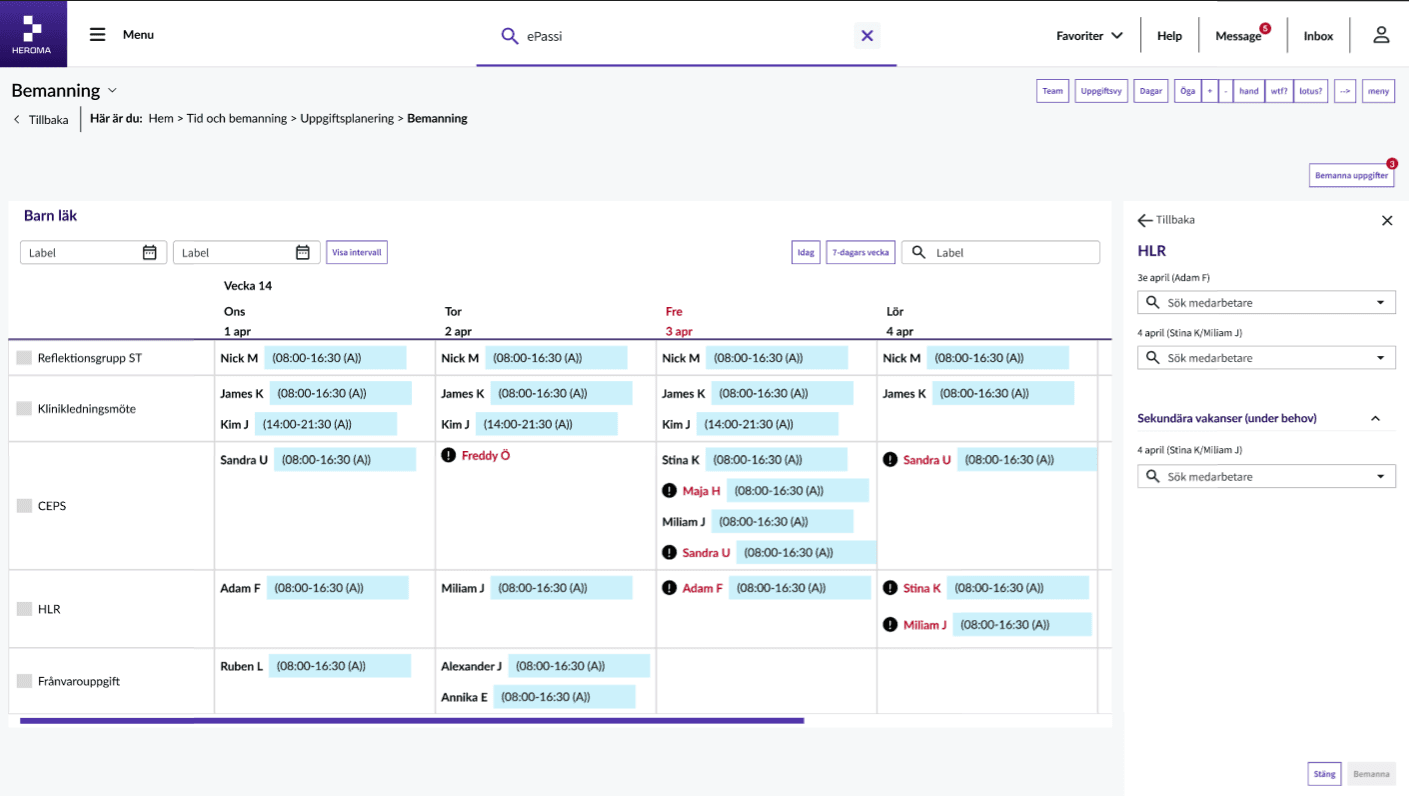
Secondary vacancies
Staffing coordinators can downgrade vacancies into secondary needs,
allowing teams to distinguish between critical and non-critical staffing gaps.
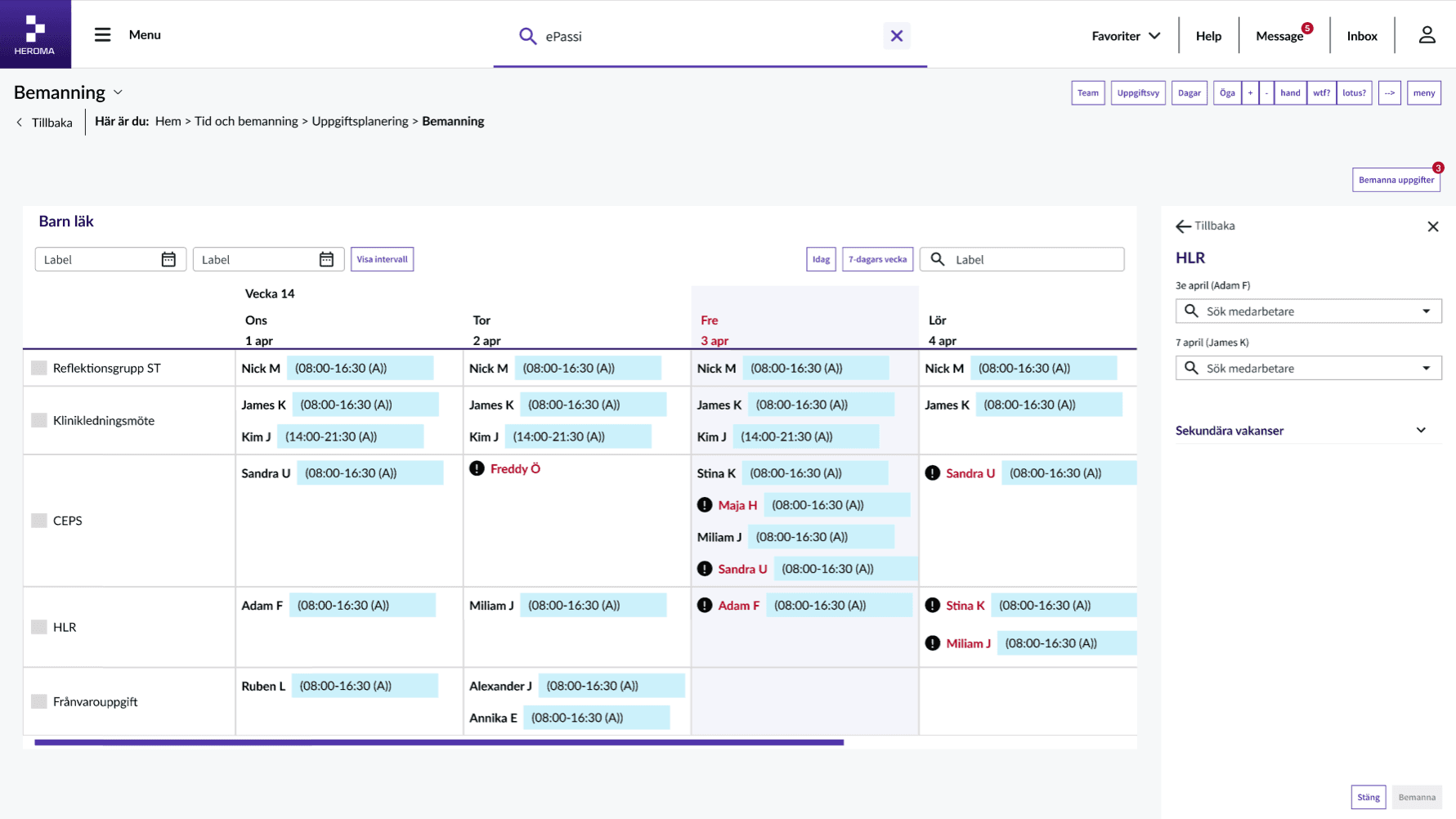
Focused calendar navigation
Selecting a staffing date automatically highlights and scrolls the schedule into focus,
improving overview and reducing navigation effort.
Design thinking
The redesign reduced cognitive load by prioritizing urgent actions and surfacing existing functionality through clearer workflows and contextual guidance.
Instead of requiring users to search for tools and features, the interface actively supports decision-making and operational staffing processes.
Key principles
• Progressive disclosure
• Role based interfaces
• Context-driven actions
• Guided interactions
Outcome
• Reduced cognitive load
• Improved usability
• Less reliance on external tools
• More intuitive workflows
Next steps
An interactive prototype was created in Figma Make to support the next phase of the project: validating the redesigned workflow through usability testing with customer organizations.
The upcoming testing sessions will focus on evaluating how effectively users can identify and prioritize critical staffing issues, navigate replacement workflows, and utilize existing functionality through the new guided experience.
The goal is to ensure that the redesigned workflow reduces cognitive load, improves discoverability, and better supports real operational behavior in high-pressure staffing situations.
Reflection
A key limitation in this project was the ability to validate
individual features directly with end users.
While I relied on insights from the Business Analyst to understand
usage and requirements, I was not able to independently verify how each feature was used in practice. This meant that some decisions were based on second-hand knowledge rather than direct user evidence.
Given more time, I would focus on more granular validation, testing specific functionalities in real user contexts to better understand what truly adds value and what can be simplified or removed.
This project reinforced an important principle in my approach:
complexity is rarely solved by adding more, but by clarifying, prioritizing, and guiding the user.
It also highlighted the importance of aligning system design with real user behavior, not assumptions or system logic.